 ColorHexHub Design Team
One of the most common mistakes beginners make in graphic design is building a project in the wrong color mode.
Have you ever created a vibrant, colorful design on your computer screen, only to find that the printed version looked dull, muted, or completely different? The reason is usually the fundamental difference between RGB and CMYK.
Although both are essential color models, they serve opposite physical purposes. Choosing the correct model at the start of your project ensures your colors render as intended, whether displayed on a backlit screen or printed on physical paper.
In this guide, we'll explain RGB and CMYK in plain language, compare their strengths and color gamuts, and help you pick the right mode for every project.
What Is RGB? #
RGB stands for:
- R = Red
- G = Green
- B = Blue
It is an additive color model, meaning colors are created by combining different intensities of colored light.
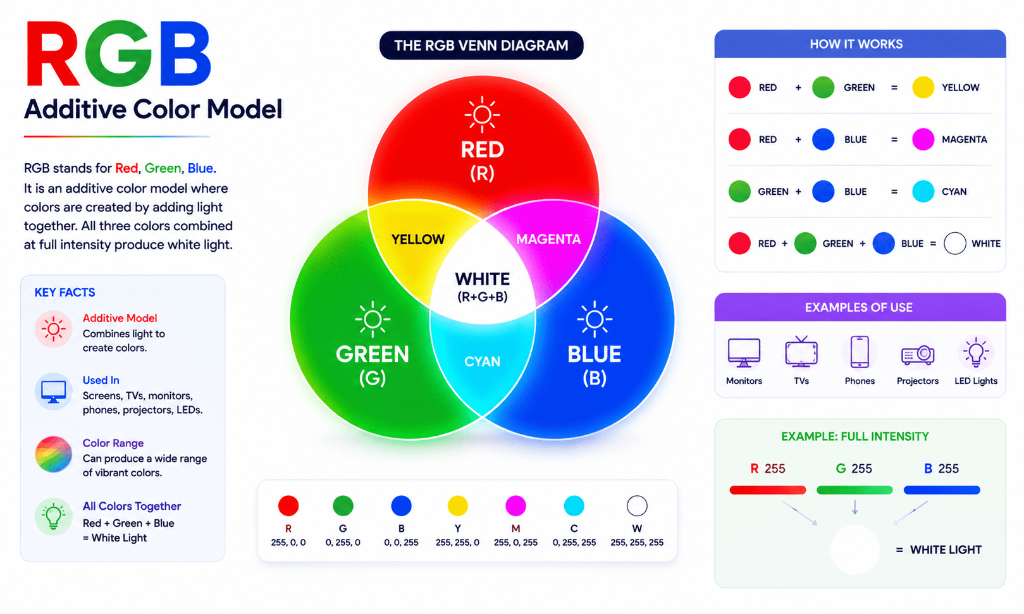
RGB is the standard color model for all digital displays:
- Computer monitors & laptops
- Smartphones & tablets
- Smart TVs & gaming consoles
- Websites & web applications
- Mobile apps & digital signage
How RGB Works #
RGB starts with dark blackness (a turned-off screen) and adds light wavelengths. As more light is added, colors become brighter.
When all three light channels are combined at full intensity (rgb(255, 255, 255)), the result is pure White light.
Read our comprehensive guide on What Is RGB Color? to learn more.
What Is CMYK? #
CMYK stands for:
- C = Cyan
- M = Magenta
- Y = Yellow
- K = Key (Black)
Unlike RGB, CMYK is a subtractive color model used in commercial printing.
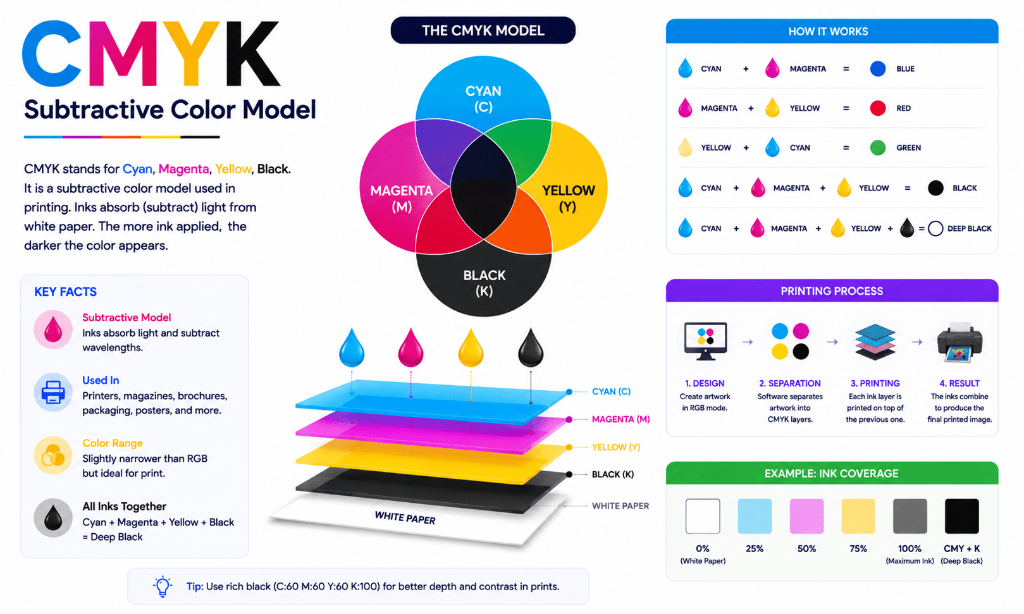
Instead of emitting light, physical printers mix four colored inks on paper to absorb (subtract) light wavelengths:
- Business cards & stationery
- Brochures & flyers
- Product packaging & labels
- Books, magazines, & newspapers
- Posters & billboards
How CMYK Works #
CMYK starts with white paper (maximum light reflection) and adds ink layers. The more ink applied, the more light is absorbed, resulting in darker colors.
Combining 100% Cyan, Magenta, Yellow, and Key ink creates deep Rich Black.