 ColorHexHub Design Team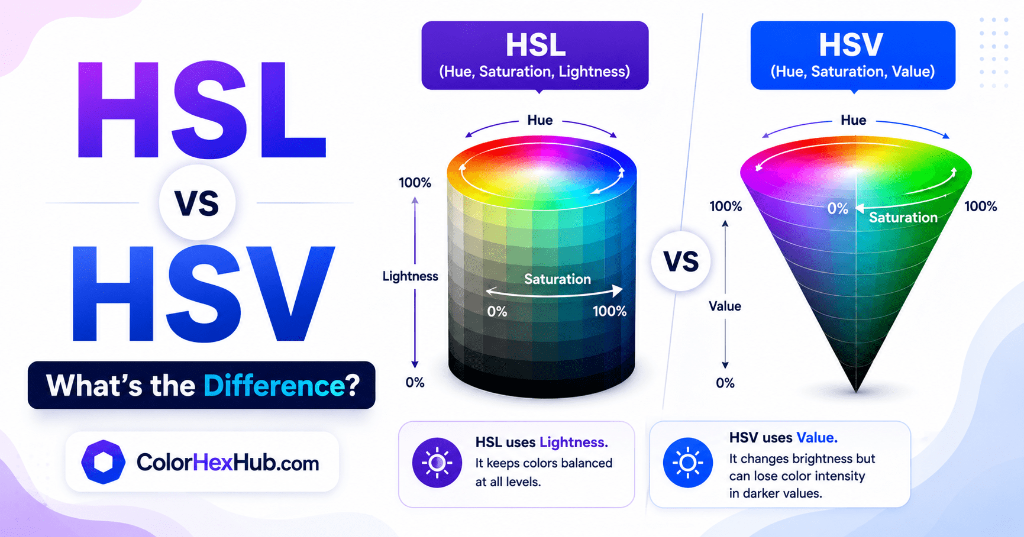
If you've ever used Photoshop, Figma, Adobe Illustrator, or an online color picker, you've probably noticed options like HSL and HSV.
At first glance, they look almost identical because both use Hue and Saturation alongside a third value representing brightness. However, they work differently under the hood and can produce noticeably different results when adjusting colors.
In this guide, we'll explain HSL and HSV in simple terms, compare their key differences, and help you understand when to use each color model in your workflow.
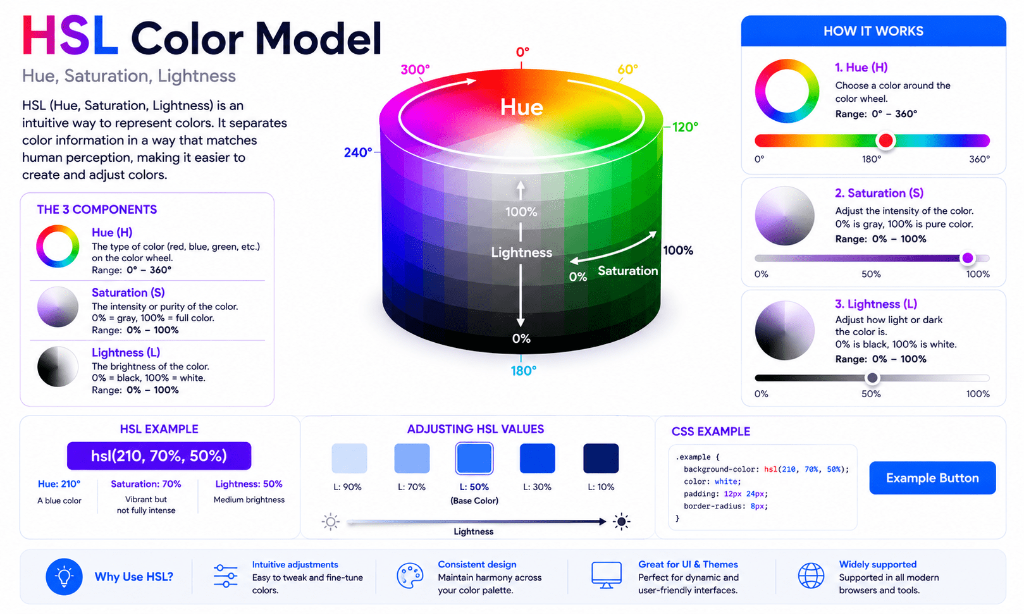
What Is HSL? #
HSL stands for:
- H = Hue
- S = Saturation
- L = Lightness
It describes a color using three coordinates:
hsl(Hue, Saturation, Lightness)
Example:
hsl(210, 90%, 60%)
Meaning Breakdown: #
- Hue = 210° (Blue family)
- Saturation = 90% (Vibrant color)
- Lightness = 60% (Slightly lighter than base color)
HSL is widely popular in web development because it allows designers to adjust lightness or dark variants without altering the original hue.
What Is HSV? #
HSV stands for:
- H = Hue
- S = Saturation
- V = Value (Brightness)
(HSV is also commonly called HSB for Hue, Saturation, Brightness).
Example:
hsv(210, 76%, 96%)
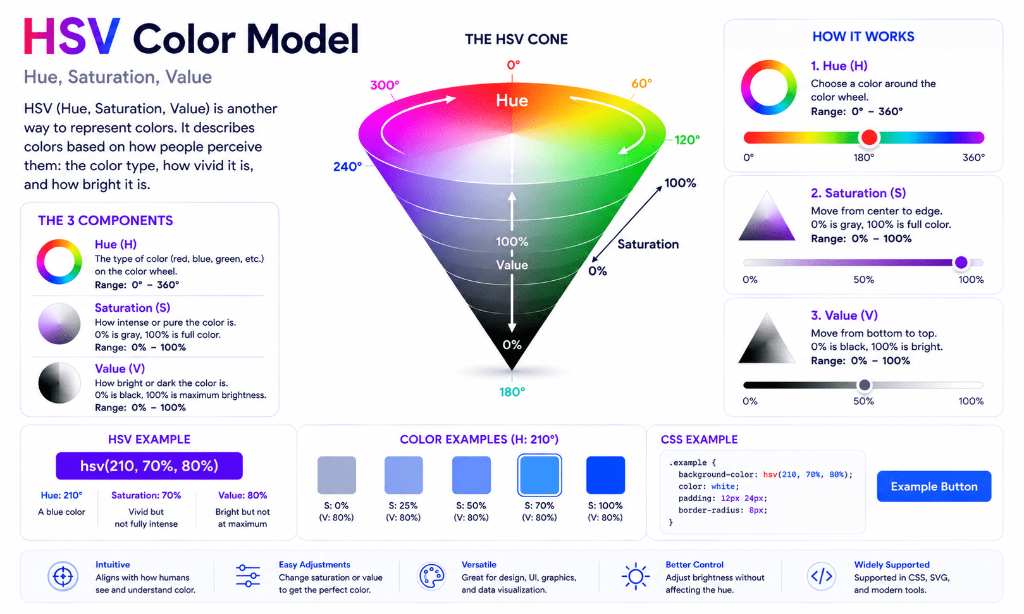
Unlike HSL, HSV measures the brightness of a color using Value instead of Lightness. Many graphic design applications use HSV because it closely mirrors how digital artists mix paints and adjust highlights.